
What it is
Three Analytics tabs go past the first contact:
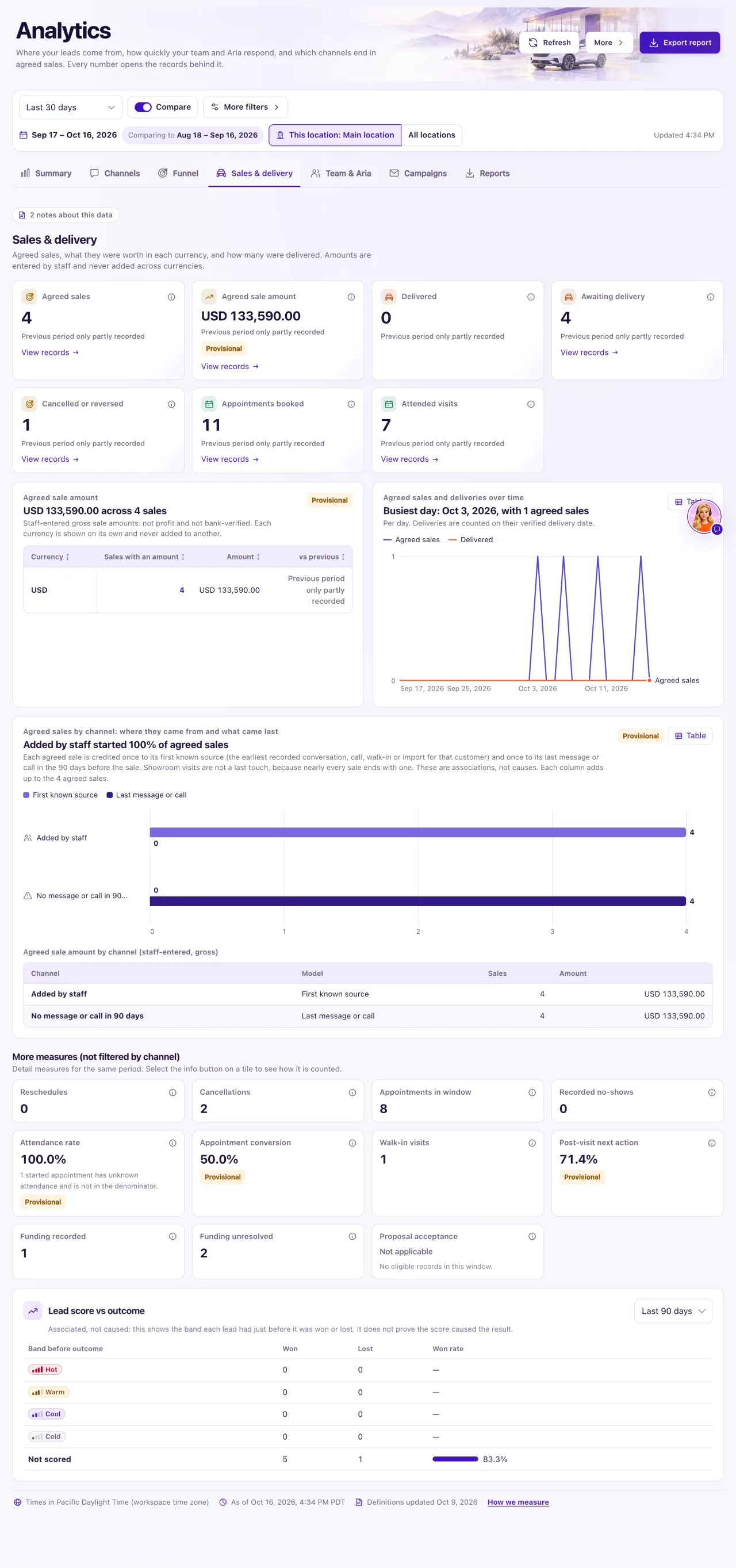
- Sales & delivery: agreed sales, what they were worth in each currency, and how many were delivered.
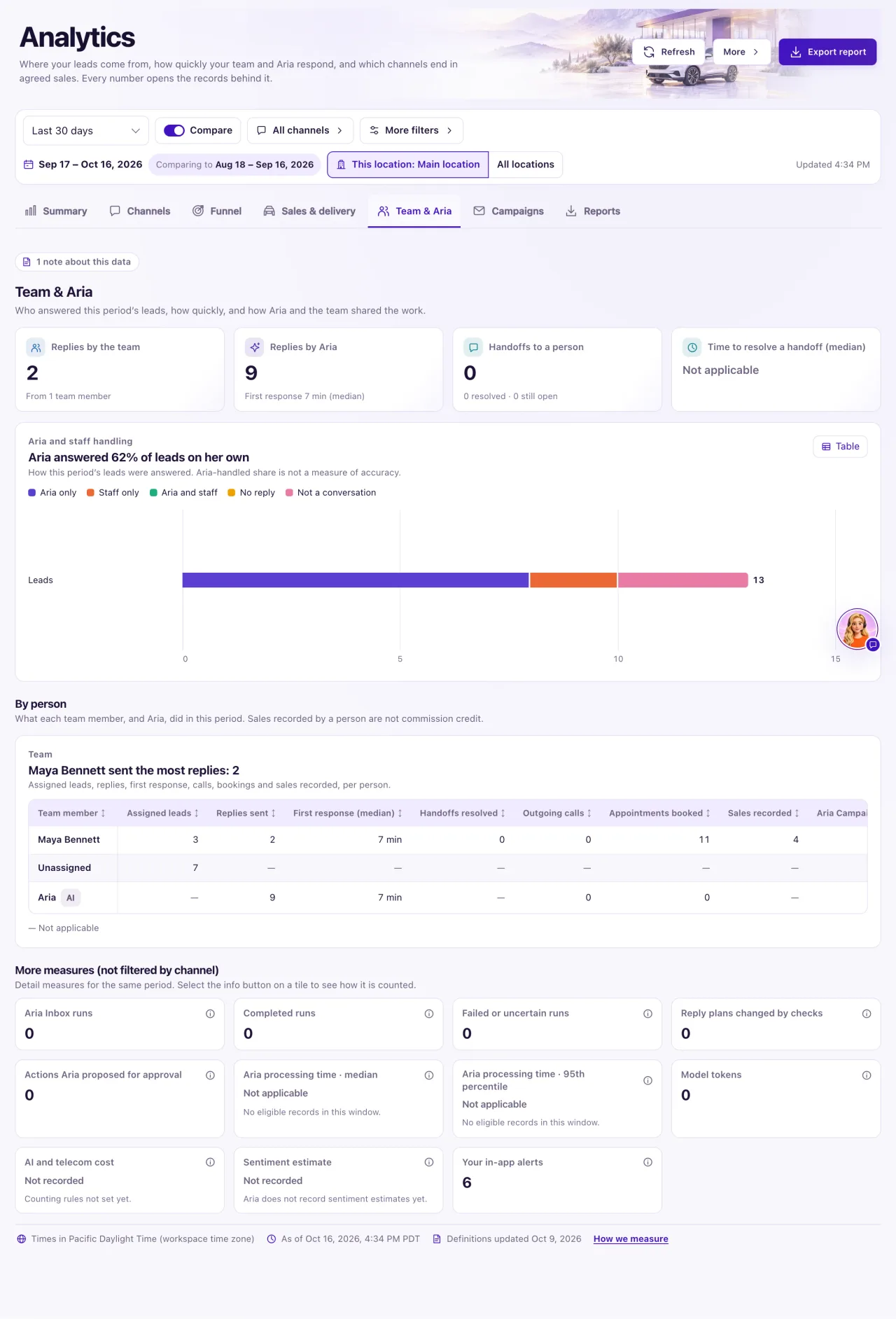
- Team & Aria (Owners only): who answered this period's leads, how quickly, and how Aria and the team shared the work.
- Campaigns: what your Aria Campaigns and email campaigns reached in the period, and what followed.
How to use it
- Open Analytics and select Sales & delivery.
- Read the tiles: Agreed sales, Agreed sale amount (one per currency), Delivered, Awaiting delivery, Cancelled or reversed, Appointments booked and Attended visits.
- Scroll to Agreed sale amount (per currency) and Agreed sales and deliveries over time.
- Owners can also read Lead score vs outcome: opportunities won and lost by their lead band, for Last 30 days, Last 90 days, Last 180 days or Last 12 months.
- Owners select Team & Aria. Read Replies by the team, Replies by Aria, Handoffs to a person and Time to resolve a handoff (median).
- Read Aria and staff handling: leads grouped as Aria only, Staff only, Aria and staff, No reply and Not a conversation (calls, walk-ins and Manual Intake).
- Under By person, read the Team table: assigned leads, replies, first response, calls, bookings and sales recorded per person. Aria is marked AI.
- Select Campaigns. Read Customers reached by Aria, Customer replies, Appointments that followed and Campaign emails delivered, then the Aria Campaigns and Email campaigns tables.
- Select any number to open the records behind it.
What the data means
An Agreed sale has recorded agreement evidence and a sale date in the period, and is still agreed. A quote or proposal is never a sale. Delivered counts handovers with an actual delivery date in the period. Amounts are staff-entered gross amounts: not profit, not bank-verified, and never added across currencies.
Results that follow a campaign are associated with it, not caused by it. Email Opens and Clicks show Not recorded. Sales recorded by a person are not commission credit, and the Aria-handled share is not a measure of accuracy.
Possible issues and fixes
Sales & delivery says "No agreed sales or deliveries in this period"
Symptom: The tab is empty.
Why: Sales appear here only once they are agreed in Sales & delivery, with a sale date in the period.
Fix: Select Open Sales & delivery and record the agreement, or choose a longer period.
How to check: Agreed sales shows the sale.
Replies by Aria is 0
Symptom: Replies by Aria shows 0 on Team & Aria.
Why: Aria wasn't answering in the period (the switch was Off, she was paused or no channel was assigned to her), or her drafts waited for approval on Ask first and nobody approved them.
Fix: Check the Aria card on the Overview and finish Set up Aria (3 steps) if needed. On Ask first, approve the drafts waiting in the Inbox.
How to check: Replies by Aria rises after her next replies.
Handoffs still open is high and the time to resolve is huge
Symptom: Handoffs to a person shows many still open, and the median time to resolve is long.
Why: A request stays open until someone selects Resolve, even after the customer was answered. The time runs from the request to Resolve, including closed hours.
Fix: Resolve old requests in My Work → Needs attention → Ready for salesperson.
How to check: "still open" falls and the median reflects the newly resolved requests.
Some agreed sales have no amount
Symptom: Under Agreed sale amount you see "Amount not recorded on N agreed sales".
Why: Those sales were agreed without an amount in Sales & delivery.
Fix: An Owner opens each sale and adds the amount.
How to check: The "Amount not recorded" count falls.
