
What it is
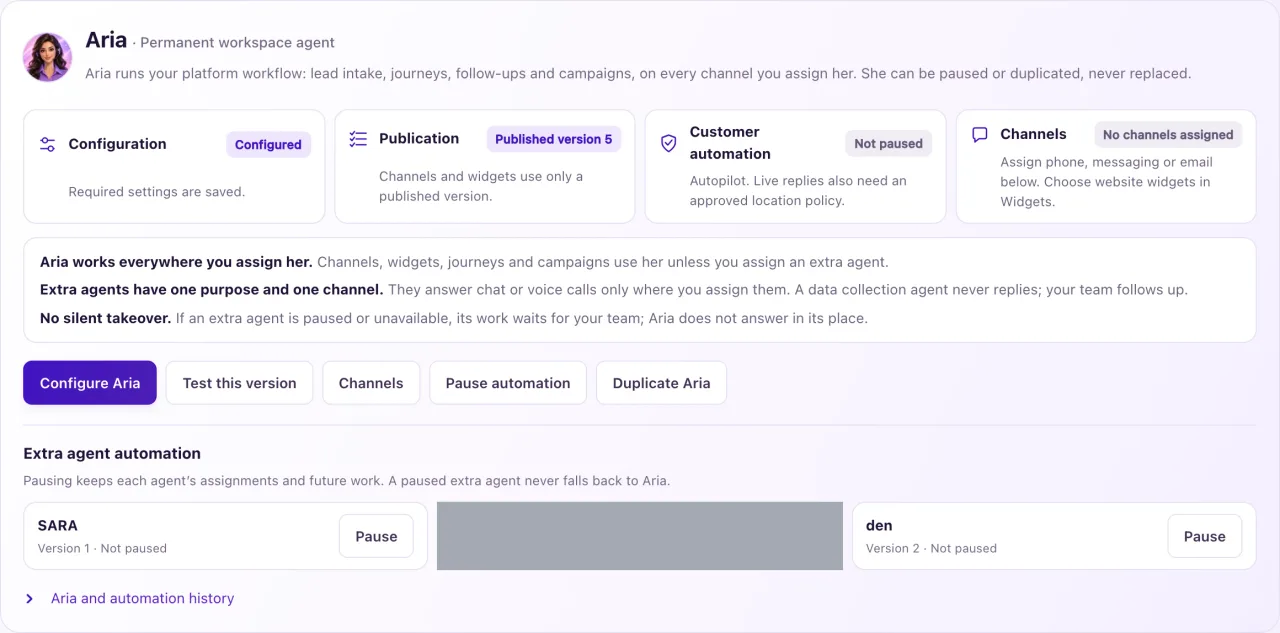
Aria is the agent that answers your customers. Every workspace has exactly one Aria. She replies to messages, decides whether a new conversation is a lead, runs follow-ups and journeys, and runs Aria Campaigns on every channel she is assigned. On screen she is called Main Aria or Aria · Permanent workspace agent.
Aria can't be archived, deleted or replaced. She can only be paused, or duplicated to start an extra agent from her settings. Extra agents are optional: each one has one purpose and one channel, and works only where you assign it.
There is no silent takeover. If an extra agent is paused, its channel waits for your team. Aria does not answer in its place.
How to use it
- Open Inbox and look at the Aria tile at the top. Ready ("AI replies available") means she can reply. Not replying shows the first reason; select the tile to open its fix.
- Open Overview. The Aria card says "Aria: Live on 2 channels · Replies by herself" (or "· Asks before replying") with a chip for each channel.
- If the card says Not answering customers yet, an Owner selects Set up Aria (3 steps).
- If she still doesn't answer, check the controls in the table below in order. Every one must allow it.
- Owners: open Aria Lab and read the Aria panel. Setup needed, Draft, Paused or No channels assigned shows what is missing.
- Test her from a real channel you control: send a message to your own Page, number or website chat. Aria Lab tests don't prove that real customers get answers.
What the data means
| Control | Where to check it |
|---|---|
| Channel connected | Settings → Connections |
| Channel assigned | Aria Lab → Agents → Channels & routing |
| Published, not paused | Aria Lab → Agents (her Operating mode is not Off (staff replies)) |
| Aria switch not Off | Inbox header, Overview Aria card or Settings → Go-live checklist |
| Live rules approved | Aria Lab → Aria authority · Selected location |
| AI on and under its limit | Settings → Go-live checklist |
| Customer may be contacted | The contact: opt-outs, permission and the 24-hour window on Meta channels apply |
From day one a new workspace's Aria has all 7 Permitted tools, speaks English, Spanish and French (English is the default), and uses your main location's time zone (or the business profile's). The tools don't give her permission: your approved live rules decide what she may actually do.
Each job also needs its own setup. Booking needs opening hours (fine-tuned in Settings → Booking), texting needs an approved business registration, email needs a connected mailbox or domain, and website chat needs a published widget.
Possible issues and fixes
The Aria tile says Not replying
Symptom: The Aria tile at the top of the Inbox says Not replying, and no conversation gets an answer.
Why: A workspace-wide control is off: the switch is Off, Aria isn't published or is paused, no live rules are approved, or AI is off or at its monthly limit.
Fix: Select the tile. It opens the screen that fixes the first reason. Fix it, then check the tile again.
How to check: The tile shows Ready within about 15 seconds.
Aria replies, but says she can't book, text or email
Symptom: Aria answers questions but tells customers she can't do one job.
Why: Each job has its own setup. The most common gap is booking: no opening hours are set, or every day is marked closed in Settings → Booking.
Fix: Set up what that job needs. For booking, see "How Aria books appointments in chats".
How to check: Ask Aria for that job from a real channel you control.
We want to delete Aria and use our own agent
Symptom: There is no Archive button for Aria.
Why: Aria is permanent. Only extra agents can be archived.
Fix: Pause her with Pause automation, or create an extra agent and assign it the channels in Channels & routing.
How to check: Channels & routing shows your agent on those channels.
