
What it is
Some parts of the Overview tell you that something needs a person:
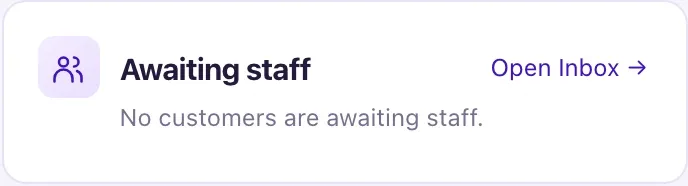
- the Awaiting staff number card and the Awaiting staff list card: customers who asked for a person, or whom Aria passed to your team;
- the Aria status card: whether Aria is answering customers;
- the Connect your dealership's email banner (Owners only): no dealership email address is connected, so customers get no email;
- Overdue tasks: open tasks past their due time.

How to use it
- To clear a customer who is waiting, select their row in the Awaiting staff list card. The conversation opens in the Inbox, or in Intake when the row says "· In Intake" (an Owner chooses Move to Inbox there first for a real customer).
- Read why they are waiting on the Human attention card in the conversation.
- Select Acknowledge. This stops the backup alert for this wait. It does not answer the customer.
- Reply to the customer. Replying takes the conversation over, so Aria stops answering new messages in it.
- Select Resolve handoff. Only Resolve clears the request; replying or closing the conversation does not.
- To let Aria answer again, select Resolve and hand back to Aria on the last open request, or Hand back to Aria.
- If the Aria card says Aria: Not answering customers yet, an Owner selects Set up Aria (3 steps). It opens on the first step that isn't done.
- If the email banner shows, an Owner selects Connect Gmail or Outlook or Connect your own domain and chooses that address as the sender.
- For Overdue tasks, select the card, choose the Overdue view, then complete or reschedule each task.
- Reload the Overview. The numbers fall and the banner is gone.
What the data means
| The Aria card says | Meaning |
|---|---|
| Aria: Live on N channels · Asks before replying | Aria answers, and each reply waits for a person to approve it in the Inbox |
| Aria: Live on N channels · Replies by herself | Aria replies on her own within the rules you approved |
| Aria: Not answering customers yet | At least one setup step is missing |
Live means only that Aria answers customer messages. It does not check booking resources, your texting registration or an email sender. Each row on the Awaiting staff card shows the customer, why they are waiting, and "Due date, time" or "No due time". "No due time" is normal: the real targets are the Acknowledge by and Reply by clocks in My Work and the Inbox.
The email banner says "Customer emails (reminders, proposals, follow-ups, campaigns) go from your dealership's own address. No email address is connected yet." Texts and other channels still work. Not now hides it for you, in this browser only.
Possible issues and fixes
Awaiting staff won't go down, even though we replied
Symptom: You answered the customer, but they are still counted under Awaiting staff.
Why: Only Resolve closes a request. Replying, closing the conversation or the customer going quiet do not. One conversation can also hold more than one open request.
Fix: Open My Work → Needs attention → Ready for salesperson, find the customer and select Resolve with a short reason. Repeat if a card says "2 signals".
How to check: The card is gone and the Overview number is lower.
The Aria card says "Not answering customers yet" but we connected Facebook
Symptom: A channel is connected, but Aria still isn't live.
Why: Connecting is only step 1. Aria must also take that channel, be published and not paused, the reply switch must not be Off, AI must be on, and an Owner must approve the location's live rules.
Fix: Select Set up Aria (3 steps) and finish each step. If an Almost there list appears, use the button on each line.
How to check: The card reads Aria: Live on N channels with a chip for each channel.
Aria passes every visit request to the team
Symptom: Customers who ask for a visit appear under Awaiting staff instead of being booked.
Why: Usually no booking resources are set up, so Aria has no times to offer. Or her live rules don't allow Book appointments. The Aria card still says Live, because it doesn't check this.
Fix: An Owner sets opening hours (Settings → Opening hours) and checks Settings → Booking; a workspace with its own resources checks Settings → Booking → Advanced. Book the waiting customer yourself with Book appointment, then Resolve the request.
How to check: A test request inside those hours gets an offered time and appears in Visits.
The Aria card says Live, but a customer got no reply
Symptom: Aria is live, yet one customer was not answered.
Why: Live is for the whole workspace. One conversation can still be taken over or paused, the customer may have opted out, or the channel's reply window closed.
Fix: Open the conversation and read the Aria didn't reply card. Follow its button, or reply yourself.
How to check: After the fix, the customer's next message gets an answer.
The email banner keeps coming back
Symptom: The Connect your dealership's email banner returns, or connecting never finishes.
Why: Not now hides it for you in one browser only. Signing in with Google or Microsoft does not connect a mailbox. A tile that stays at Authorization pending means the provider step was not finished.
Fix: Open Settings → Connections, connect Gmail or Outlook again and allow every permission, including reading and sending email. Or connect your own domain.
How to check: After a reload the banner is gone and the mailbox shows as connected.
