
What it is
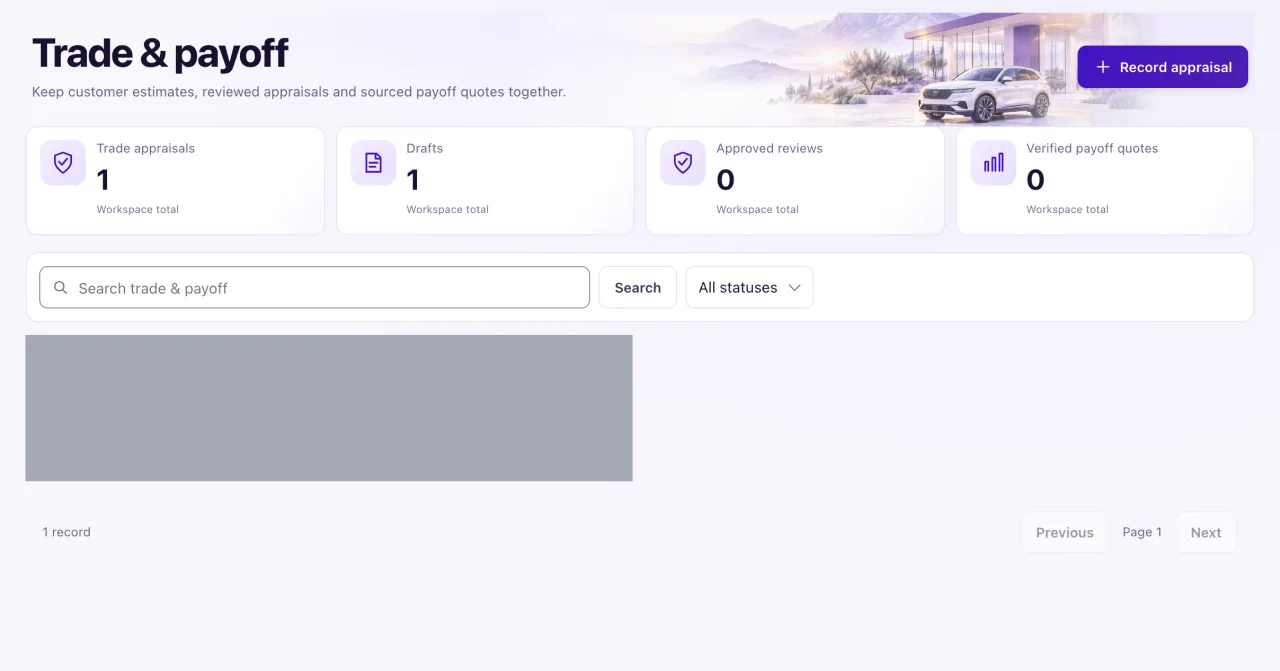
Trade & payoff opens from the Trade & payoff button on Ownership. A trade appraisal records the trade-in vehicle's condition and value; a payoff quote records what is owed on it. Amounts, currencies, validity dates, sources and verification stay visible on each record. QualiFlow doesn't calculate a trade difference or equity, and recording a quote doesn't promise a lender payoff or a payment.
Owners record and change appraisals. Staff with Sales & delivery access can read them.
How to use it
- Open Ownership and select Trade & payoff.
- Select Record appraisal and choose the Contact and the Trade vehicle. The trade-in must already exist as a vehicle in Inventory.
- Optionally link the Current ownership (for the same vehicle) and the Opportunity.
- Enter the vehicle's condition and mileage.
- Under Appraisal evidence, choose Customer estimate or Staff-approved appraisal and fill in Trade amount, Trade currency, Appraisal date, Appraisal valid through and Appraisal source / verification.
- Under Payoff evidence, choose Unknown, Customer-reported, Verified payoff quote or Not applicable, and fill in the balance or quote with its dates, source and Payoff verifier / quote issuer.
- Save. Every appraisal starts as Draft.
- To approve it later, edit it, make sure it is a staff-approved appraisal with a Verified source, and set the status to Approved.
What the data means
| Card | What it counts |
|---|---|
| Trade appraisals | All appraisals |
| Drafts | Appraisals still in Draft |
| Approved reviews | Appraisals an Owner approved |
| Verified payoff quotes | Appraisals whose payoff evidence is a verified payoff quote |
The cards count the newest 50 records. Statuses are Draft, Approved and Withdrawn. "A reported balance is not a verified payoff quote": a customer-reported balance stays a customer's statement.
Possible issues and fixes
I can't save a trade appraisal
Symptom: The form refuses with a message, or the trade-in is not in the Trade vehicle list.
Why: The trade-in must exist in Inventory. A staff-approved appraisal needs its amount, currency, date, validity and evidence; a verified payoff needs the same plus a source and verifier; validity can't end before the quote date.
Fix: Add the trade-in to Inventory first (Owner), choose Customer-reported or Verified payoff quote before entering a balance, and fill in the fields named in the message.
How to check: The appraisal is saved as Draft.
I can't approve an appraisal
Symptom: "Approval requires a staff-approved appraisal and explicitly verified source."
Why: Only a staff-approved appraisal with a verified source can be approved.
Fix: Edit it, set Appraisal evidence to Staff-approved appraisal with all its fields, set Source to Verified with the verification evidence, then set the status to Approved.
How to check: The appraisal shows Approved and the Approved reviews card goes up.
The Verified payoff quotes card shows 0
Symptom: You recorded payoffs, but the card stays at 0.
Why: It counts only payoff evidence marked Verified payoff quote, among the newest 50 records.
Fix: Edit the appraisal and complete the verified quote fields.
How to check: The card goes up.
I need the trade difference or the customer's equity
Symptom: There is no calculated trade difference anywhere on the page.
Why: QualiFlow records the appraisal and payoff as facts and does not state a customer's equity.
Fix: Use the recorded amounts as facts and work out any difference outside QualiFlow. Don't quote equity to a customer from this page.
How to check: The appraisal and payoff amounts show on the record with their sources.
