
What it is
Aria answers a call on your QualiFlow number only when everything below is true. QualiFlow checks it as each call arrives. The Calls page shows the result of each call (Answered by Aria, Voicemail, Missed) but not the reason, so use this list when calls don't go as expected.
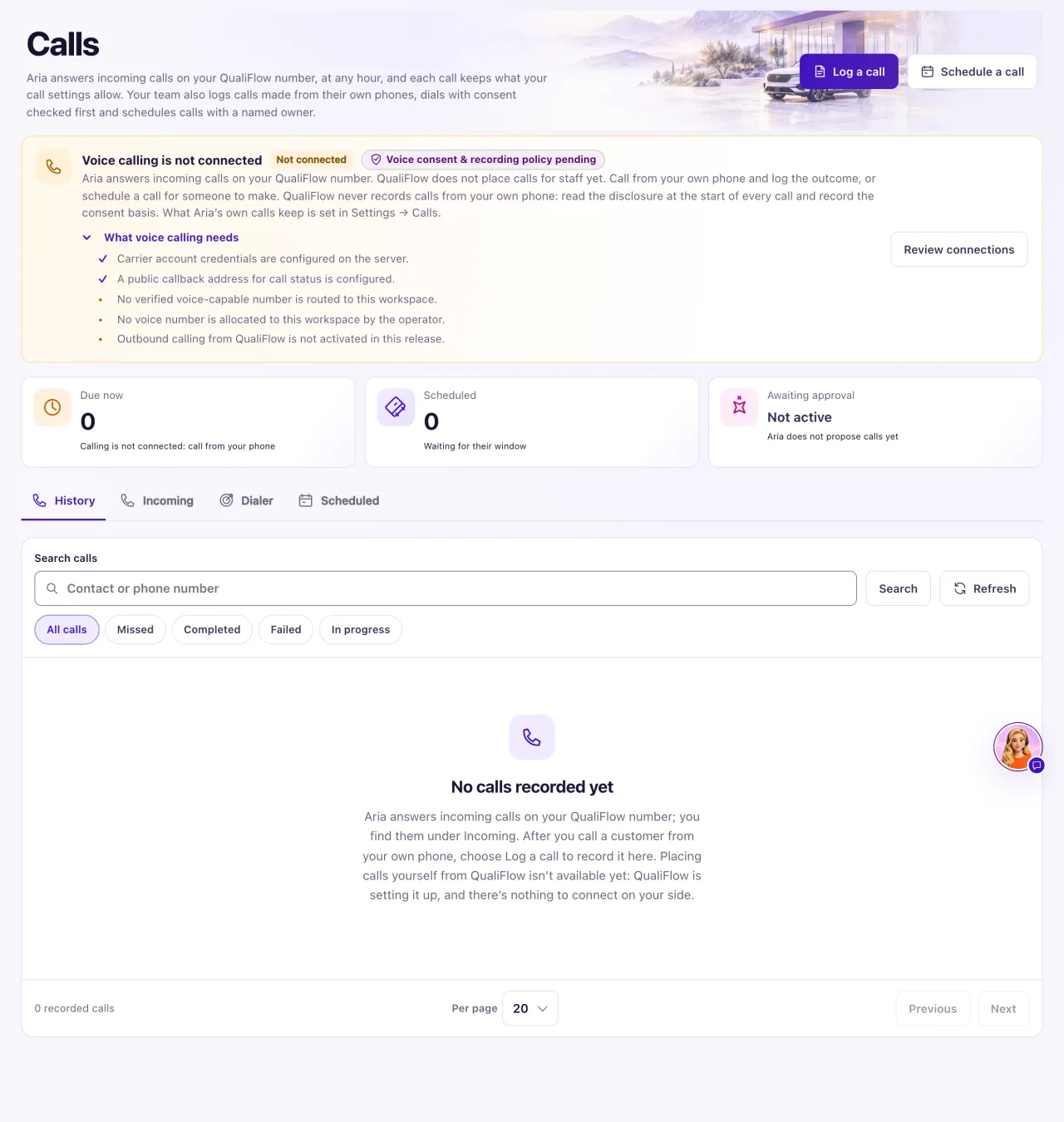
How to use it
- An Owner opens Settings → Connections → SMS & calls → Phone numbers. The number must show Verified, have a Location and list Voice under Capabilities.
- If you kept your own phone number, check that calls are forwarded to your QualiFlow number.
- Open Calls and expand What voice calling needs. Note any item marked Missing.
- Check the Aria: switch is on Ask first or Autopilot (both answer calls), and that Use AI in this workspace is on in Settings → Go-live checklist.
- In Aria Lab, check the agent answering that number: it is published, not paused, its Operating mode isn't Off (staff replies) and it isn't a Data collection only agent. Main Aria answers every number unless another agent is assigned to Voice in Channels & routing.
- Call the number from another phone and reload Calls → Incoming.
What the data means
Opening hours don't decide whether Aria answers. When she is on, she answers 24/7, including after hours and on holidays. Answering calls doesn't need texting registration either.
The box title Voice calling is not connected is about outgoing calls, which QualiFlow doesn't place. For incoming calls, read the items: "A verified voice-capable number is routed to this workspace." and "A voice number is allocated to this workspace by the operator." are the ones that matter.
A test with the Call button in Aria Lab talks to Aria through your browser. It doesn't use your phone number, so it can work while real calls go to voicemail.
Possible issues and fixes
Calls aren't reaching QualiFlow
Symptom: Callers hear "We can't take calls on this line right now." or nothing answers, and nothing new appears under Calls → Incoming.
Why: Forwarding from your own number isn't working, the number isn't Verified or has no Location or Voice, or QualiFlow hasn't finished routing the number to your workspace.
Fix: An Owner selects Verify number (or Enable, then verifies again). Check forwarding with your phone company. If a number item is still Missing, create a ticket in Support with the number and the time of a test call.
How to check: A call from another phone shows under Incoming as Answered by Aria, Voicemail or Missed.
Callers reach voicemail instead of Aria
Symptom: Calls show Voicemail instead of Answered by Aria.
Why: The Aria: switch is Off or AI is off, the agent on the number isn't ready, or the number isn't set up for calls. A single call can also go to voicemail if the line drops or a transfer isn't answered.
Fix: An Owner sets the Aria: switch to Ask first or Autopilot, turns on Use AI in this workspace, and checks the agent in Aria Lab. If calls still reach voicemail, create a ticket with the times of two calls.
How to check: A test call hears "Thanks for calling … This is Aria, an automated AI assistant." and shows Answered by Aria.
A call or voicemail is missing from the list
Symptom: You can't find a call you know happened.
Why: It is on another tab (calls to your number are on Incoming), it is older than the latest 50, it came from a hidden number, it belongs to another location, or you don't have Calls access.
Fix: Look on Incoming. For an older call, open the customer's Inbox conversation and select Open the call in Calls. Check the Location switcher. Staff ask an Owner to set their Calls page to View in Settings → Team & roles.
How to check: The call shows on Incoming at the right date and time.
